Friday, April 29, 2016

Exercise 11: Personal Learning Networks

A rundown of who,what,where, why and how of Personal Learning Networks.

Who -PLNs are a group of folks who have a common interest.

What can a PLN do for you?- You can collaborate, share, learn, discuss and observe information with a wide variety of people.

Where- You can create your own personal learning network online, face to face or any other means of communication.

Why- PLNs provide an opportunity to communicate ideas, brainstorm and share common experiences.

How- You can create your own PLN or you can find a group online or in person.

I'm going to share some examples of the Personal Learning Networks I use to help me when I'm working at the library.

I use Goodreads a ton for the library : https://www.goodreads.com/
Comics, graphic novels and manga are my go to reads so I struggle suggesting books to library patrons who ask for something other than my go to reads. I use goodreads to help me suggest books to patrons.
- User name:

I also use Amazon for searches: http://www.amazon.com/
Sometimes patrons like to request new items and the items haven't been released yet. If you search Amazon it will show you the release date for blu-ray and dvd items. For books Amazon will show you the publish date.


I like to use the libguides for information: http://guides.mysapl.org/
I've actually showed a handful of patrons some libguides but it doesn't happen that often.
Here's a libguide I contributed to!


FOR FUN- 
I love to cook! On Tumblr I'm following several recipe blogs. I love to read the comments before I start the recipe just in case there's a alternate ingredient that people discovered.

Budget Bytes has been a life saver. The community is amazing! If you are learning to cook on your own, Budget Bytes offers recipes with step by step pictures and really easy to follow directions. The comment section by far is the best resource to offer excellent alternates to the recipe. 


Saturday, April 16, 2016

Lesson 10 Challenge

Great Northwest has a McDonald's nearby. There is a bus route smack dab in between the two.

VIA bus route 610 goes down Grissom and turns down Tezel. The patron would have to cross the street to reach their destination of McDonald's. It would cost the patron $1.20 for a bus ticket and they could use a transfer if the transfer takes place within two hours of the purchase of the bus ticket.
The patron could successfully travel from Great Northwest Library to McDonald's and back within the hour.


Westbound column C is where the bus will pick up the patron at 1:07pm travelling from Great Northwest to McDonald's. An Eastbound bus can pick up the patron at 1:46pm going towards the library.

Saturday, April 9, 2016

Lesson 9 Challenge

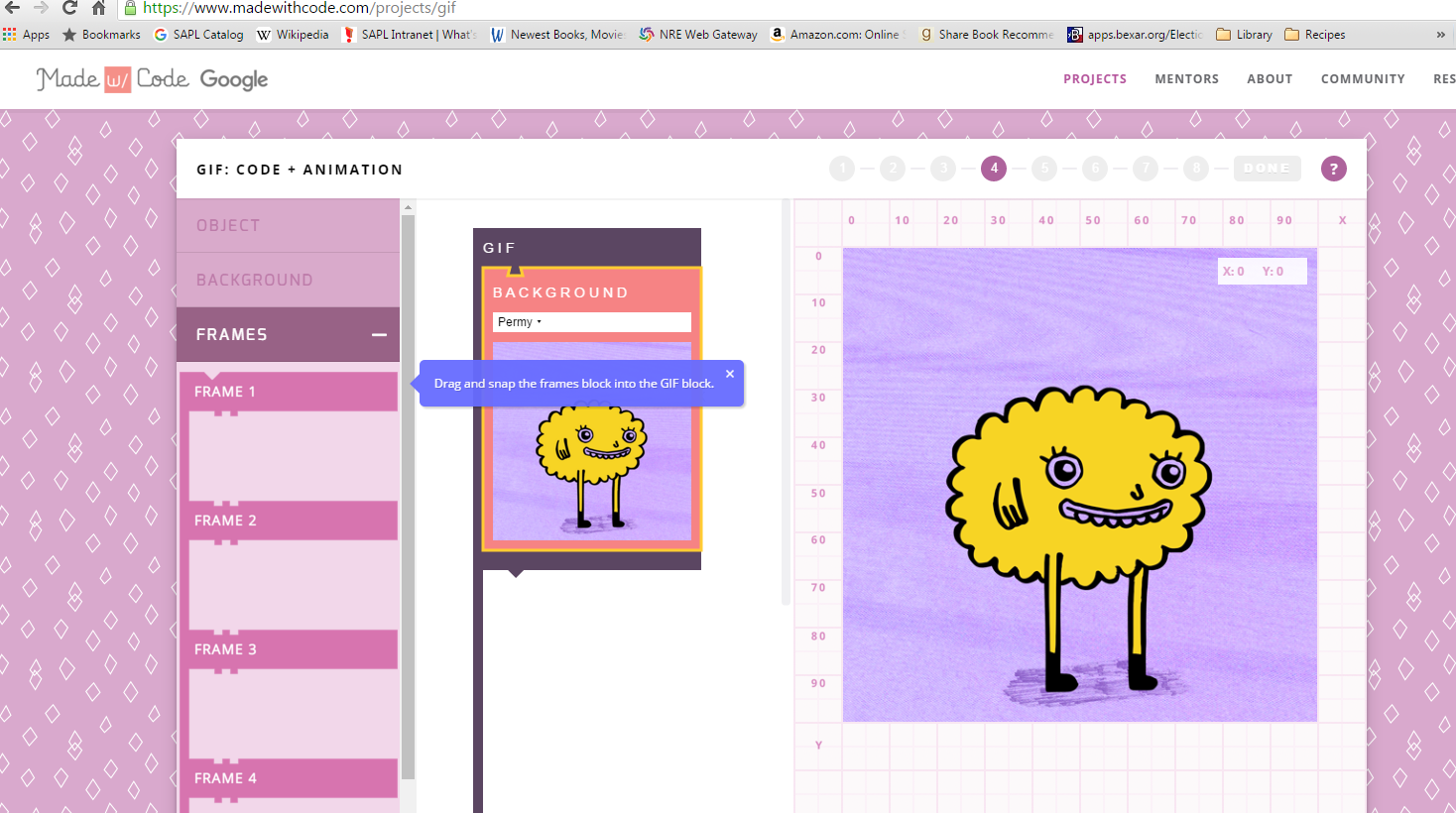
I made my first GIF using https://www.madewithcode.com/projects/gif


I'm going to mess with this program a bit and see what else I can do. I'm really excited to learn more. I would love to teach a class at the library to make your very own GIFs for all age groups. I think there is still a large population of people who would love to learn about the process.

Saturday, April 2, 2016

Challenge 8 OPTION 2

This was a fun activity! I contacted David from Cody branch library. He was using the Cody branch IPAD and I chose to use our Mac sit down computers. The Macs actually have a camera built into the monitor. I took some pics of our convo!


Since David was using an IPAD he gave me a tour of Cody's famous Bat Cave and the staff workroom. I was stationed at a sit down computer so I could only show him Great Northwest's new book selection. I didn't have ear phones so the the sound on the computer was public. I was able to hear him perfectly fine. If I had ear phones I could communicate with him without bothering other patrons. We spoke about what we were doing at the time. Being stationed at the Cody's Bat Cave he was checking in the indoor book drop. I was working at the reference desk for the day. I really enjoyed figuring out this challenge using SAPL technology. I can know show patrons how to use it too!

Lesson 7 Challenge

 I learned something cool today. I didn't know I could  disable the java script. Now I do


404 challenge:


Best one I came across so far.


Friday, March 18, 2016

Lesson 6 Challenge


I didn't know Novelist had manga titles in their database. I'm very surprised and this title is new to the SAPL system. I actually submitted a suggest a purchase for a patron for this title.

We have most of the titles suggested as read alikes for A Silent Voice.
Amazing!

I searched the appeal factors.

I chose the Bullying and bullies subject heading and was pleasantly surprised.

One of my goals this year was becoming better at suggesting books to library patrons. I've been getting better at it but this might give me the edge i need to improve even more.
 I would like to attend a refresher class for RA.

Sunday, March 13, 2016

Lesson 5 Challenge

I've actually been taking tutorials for the GRE on my account. I also have taken an excel tutorial that was very useful. I recommend Learning Express to a lot of patrons willing to want to know more.


Lesson 4: Part 2


OK, this was so much faster to pull this info. 


  1. Search for Consumer Reports volume 80, issue 9. How many articles are retrieved?
26 total articles

Lesson 4: Challenge 1


The first part of the challenge was confusing. I had re-read the previous directions several time before it made any sense. I eventually stumbled upon the correct article.

Part two of the challenge I came up with 46 different articles.  


PART TWO:

There are two search fields! Inputting info in the top will not bring up the same info as the bottom search field.

Part Two II:

Pulled 34 articles for Consumer reports 2015


Saturday, March 5, 2016

Exercise 3: Part 2: Marketing Tools


I've used the Marketing Libguide several times before and it is very useful. I would suggest a smaller handout version of the marketing flyer. I prefer the larger flyers for posting around the library and the smaller flyers to handout to patrons. It saves on paper and more patrons have the opportunity to receive the information..

Flyer created from the CANVA site.

Postcard size mini flyers


I haven't used CANVA before and I love it! The Cooking Demo flyer was created with a template found on CANVA and it's really easy to use. The tutorials are quick and extremely hands on. I learned a lot about editing a flyer in less than 5 mins while working at the reference desk.


Saturday, February 20, 2016

Lesson 2 Challenge

  • A customer comes up to you and says they think their Facebook account was hacked, but they’re not sure.
I would suggest the patron change their password and if they have a mobile device they can choose a double verification option until they feel comfortable about the security of their account.

I would guide them through the process and provide encouragement throughout the interaction. This would be a very stressful time for them and could be a complicated process. I've learned to be extremely patient with patrons unfamiliar with technology. I do inform patrons that I'm personally unable to fill out online forms or information pertaining to their personal information. I know the default response from patrons is "Can you just do it for me? It'll be a lot faster!". I respond by informing the patron that I don't mind teaching them something new and it'll help them in the long run. 


Sunday, March 29, 2015

Lesson 11: Wrap Up- I didn't enjoy it

  • Go back to your thoughts/ideas about technology and mobile devices. Has anything changed as a result of this experience? 
    • I still refuse to use any kind of popular social media. 
  • What were your favorite Cosas/Things and discoveries?
    • I discovered I now have a blog.
  • Did you connect with others doing the 11.5 Cosas?
    • No, but I gave all my library buddies tips on how to complete the 11.5 COSAS faster: Skip the entire lesson and go straight to the challenges. 
  • Were there any take-aways or unexpected outcomes from this program that surprised you?
    • I have a horrible selfie floating around on the internet. Also I now have a blog that is associated with my work and I don't know how I feel about that. 
  • What could we do differently to improve upon this program’s format or content?
    • Create the lesson with less text. Simplify your message. Stick to the basic points. Provide videos or demos of some of the information. Attach more direct links. Provide more creative types of challenges.
  • Describe your learning experience in one word or in one sentence. We may use your words to promote 11.5 Cosas learning activities to others.
    • Not impressed. Nuff Said.

Tech ninja

Tech ninja badge

11.5 Novice badge

First badge

Lesson 7 Part 1 Challenge

Here's my goof of a face. Enjoy!

Sunday, March 22, 2015

Lesson 10 Challenge


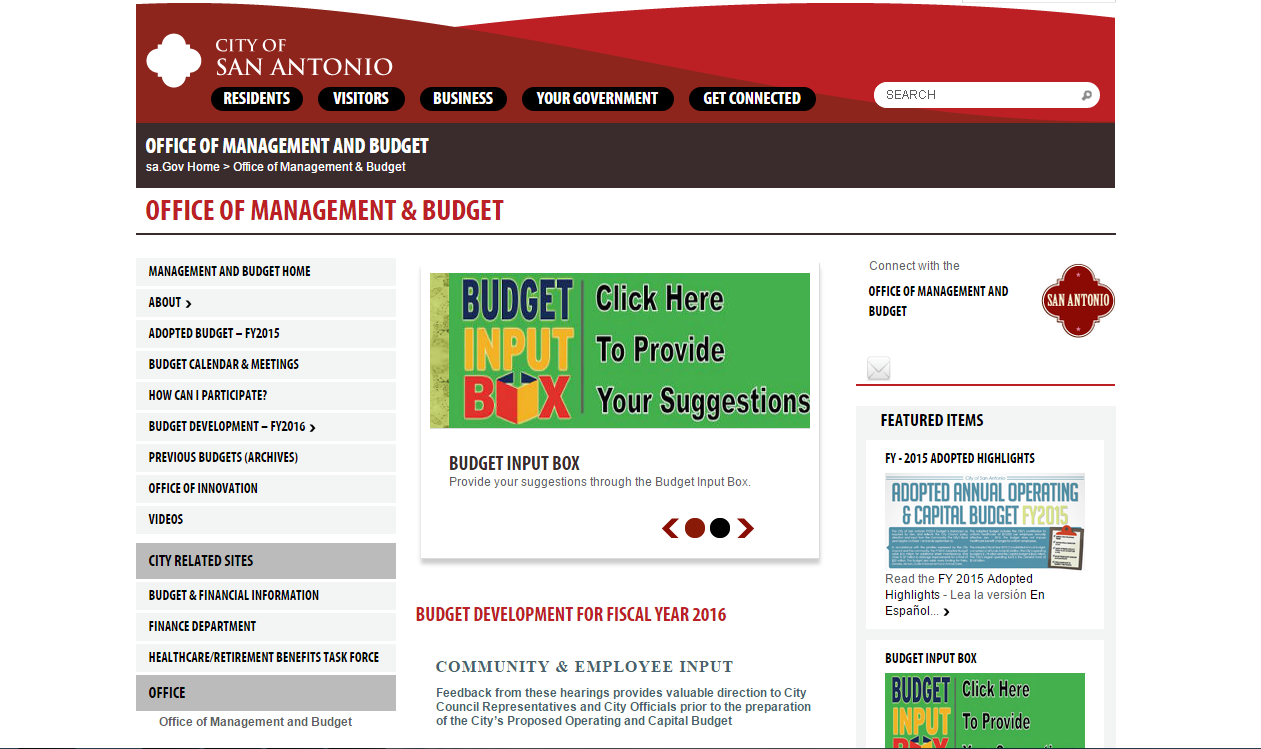
I chose the City of San Antonio Office of Management and Budget page for the local government page for this activity. I learned that the the library's allocation of city money is a sliver of barely anything. With this information, I can correctly correct patron's who say that all their tax money is given to the library in which I can respond "Actually sir or madam, the library receives less than 10% of the city budget. Most of your tax money is allocated to the Fire or Police department. Have a wonderful day!"


LOCAL


STATE: Vital Records page
I chose this page because my library is a participating library for this service. The reference staff on a daily basis receives questions about this service. It helps to be knowledgeable about this service to help provide excellent customer service to our patrons.


 GOV: U.S government publishing office
This give a run down of all the procedures and policies for publishing information for the government. It was fascinating read. I highly recommend it.

Lesson 9 Part 2- Zinio


The following snippet provides information about the 7 available devices used by Zinio


Sunday, March 15, 2015

Lesson 9 Part 1 Hoopla

I actually want to read You, unstuck, The Stone Wife and Over the Edge

Lesson 8 Part 2 Challenge

Hoopla:
You, Unstuck: You are the solution to your greatest problem by Seth Adam Smith

I don't have a Hoopla account and therefore would have to create one. I believe that hoopla is easy to use but i have more experience with overdrive. So overdrive is easier to use in my opinion.

Overdrive:
Sea of Monsters by Rick Riordan
I have everything set up to use overdrive on my mobile device. I prefer to use this to listen to audiobooks.

Lesson 8 Part 1 Challenge

Instead of typing all the information that is requested, I'm just going to do a screen shot because it's easier.